Event Log
The Event Log records every button press and release and every hat move, with the time to the millisecond, so you can see exactly what a control sent and in what order.
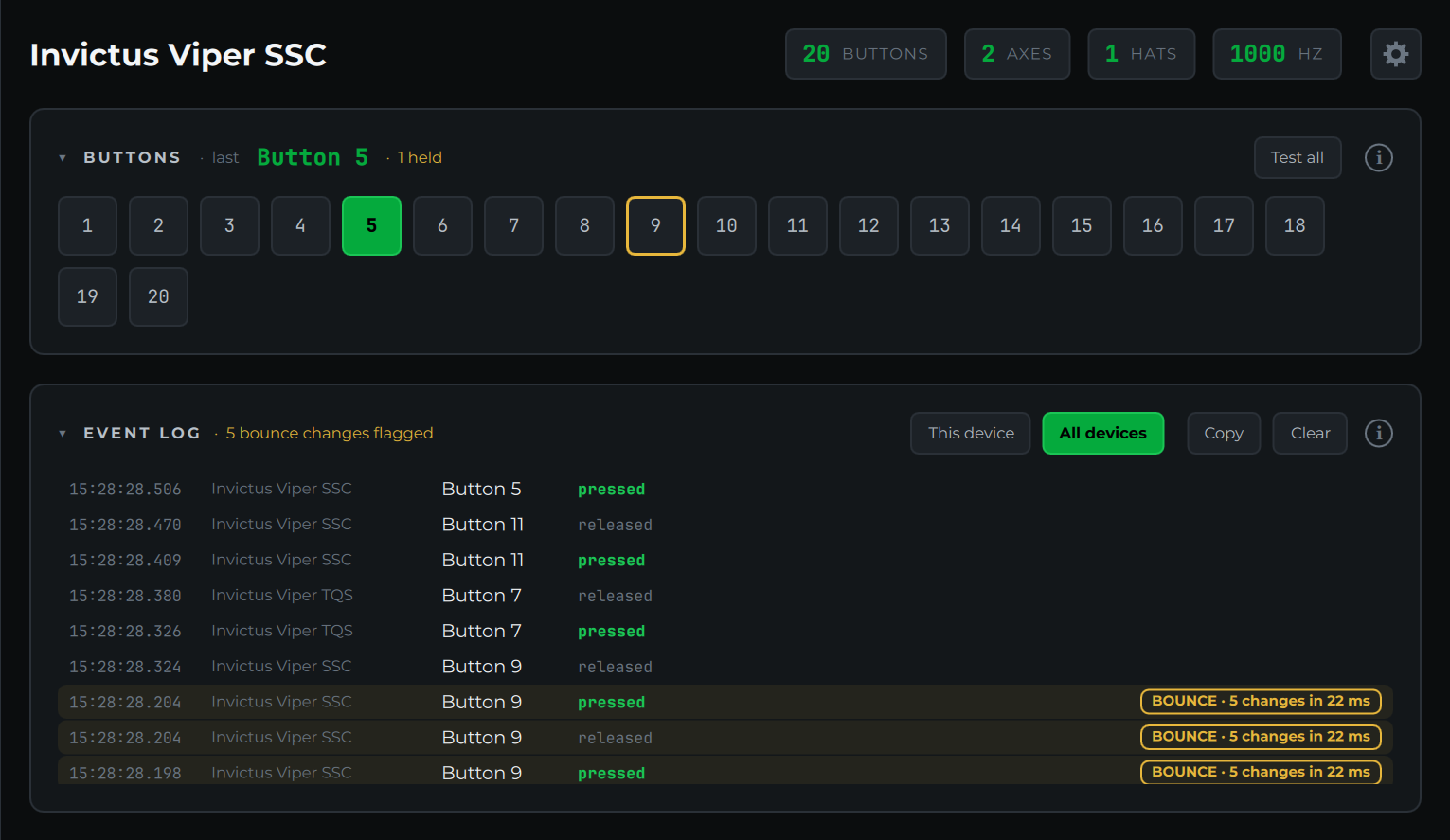
Reading the log
The newest event is at the top. Each row shows the time, the device, the button or hat, and what happened: pressed, released, or a hat direction such as up-right. On an AIM Ghost Joystick, the cockpit control the button is mapped to is shown too.
All devices logs every connected controller, which is handy for finding out which device a control belongs to. This device shows only the device selected in the sidebar. The choice is remembered.
Switch bounce
When a mechanical switch closes, its contacts can chatter for a few milliseconds before they settle, so one press reaches the PC as several. Most commercial controllers clean this up in firmware; DIY boards and button boxes often don't, and in a sim it shows up as double inputs or a toggle that won't stay put.
The Probe flags a button that changes state three or more times within 25 milliseconds. No finger can do that (even a fast double tap takes about a tenth of a second), so it's always the switch. Flagged rows are tinted amber with a BOUNCE badge saying how many changes happened and how fast, the header counts them, and the button is outlined in amber in the Buttons card until you clear the log.
If a switch bounces, add debouncing in your board's firmware, or replace a worn switch.
The Probe reads input every few milliseconds and keeps every change in order, so bounce that's over in a couple of milliseconds still shows up, even though the times on those rows may match.
Copy and Clear
Copy puts the log on the clipboard as plain text, oldest first, ready to paste into a forum post, an email or a support issue. With This device selected it copies only that device's events. Clear empties the log and resets the bounce flags.