Invictus Livery Manager
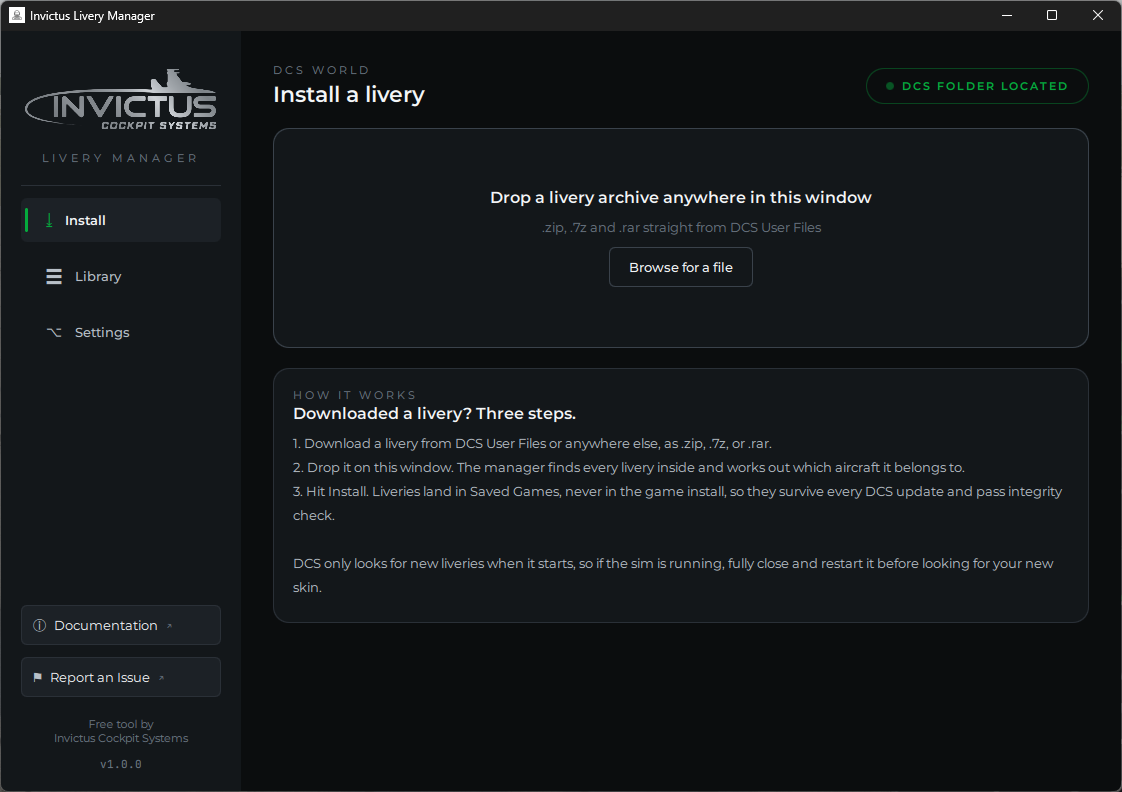
A free livery installer for DCS World. Drop a downloaded livery archive on the window and it lands in the right place, every time. No digging through Saved Games, no guessing what the aircraft folder is supposed to be called.
Why it exists
A livery only appears in DCS when its folder sits under the exact unit name
the game uses internally, and those names are rarely what you'd guess. The
Viper is F-16C_50, the Hornet is FA-18C_hornet, the A-10C II is A-10CII,
the Apache is AH-64D_BLK_II. Add to that the fact that downloaded archives
come in every imaginable folder layout, and "livery doesn't show up in game" is
one of the most common DCS frustrations there is.
The Livery Manager reads the archive, finds every livery inside, works out
which aircraft each one belongs to, and installs it into
Saved Games\DCS\Liveries, never into the game install, so your skins
survive every DCS update and pass multiplayer integrity check.
What you can do
- Drop a .zip, .7z, or .rar anywhere on the window and install it in two clicks, straight from DCS User Files
- Handle multi-aircraft packs, nested archives, and shared texture folders automatically
- Browse your whole collection in the Library, grouped by aircraft with sizes and where each livery came from
- Remove a livery in one click, including ones you installed by hand, after an explicit confirmation
- Point the manager at a custom Saved Games folder when auto-detection can't find one
New livery not showing up?
DCS only scans for liveries when it starts. If the sim is running when you install, fully close DCS and start it again, and the new livery will be there.